
There’s a lot of confusion about Kindles, what the difference between them is and specifically, what Kindle Scribe is. I have a full guide through all ereaders here (especially Kindles), but since I own a Kindle Scribe and have owned a different Kindle before, I’m here to give you a first-hand insight into what this lovely little device does, how it works and to tell you whether you need it or not.
If you just want the quickest answer, here it is: Kindle Scribe is a blend between an ereader and a digital notebook. What this means is that you can use it just as you would any ereader, but you also have an option to create notebooks and write on them as you would in regular ones. It’s worth it for you if you write and journal a lot, take notes for work or school, want one device for your reading and writing, like to make annotations and doodles on your books, like to do crosswords, sudoku, and other puzzles, or you enjoy sketching. It’s also great for working on pdfs. It’s not for you if you just want to read or none of the above apply to you — there are cheaper and smaller ereaders that would suit you just as well.
What Is the Kindle Scribe, Exactly?
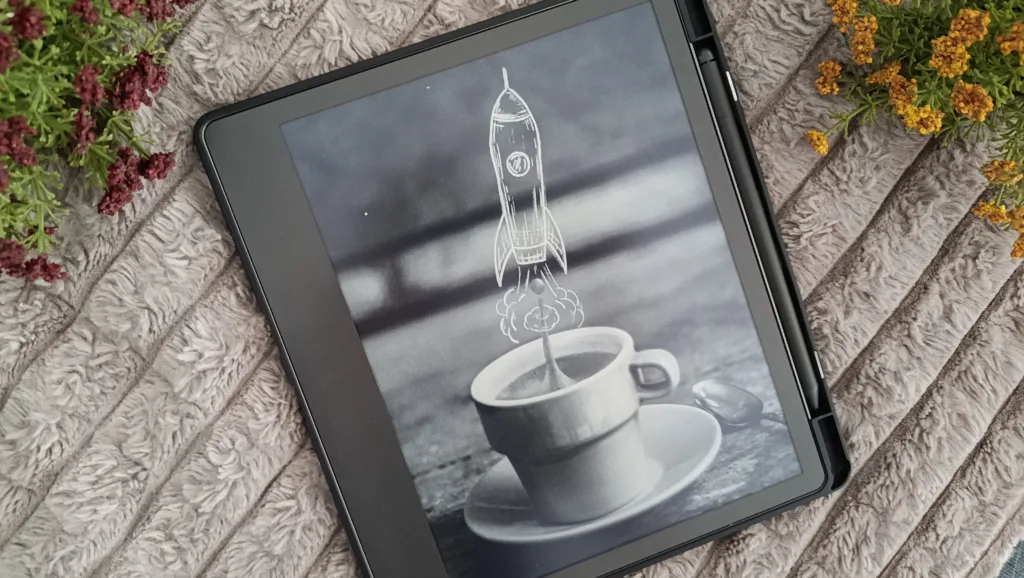
A Kindle Scribe is basically a Kindle you can write on. It’s an ereader that also features a digital notebook software where you can create notebooks, planners and journals and write on them.
It’s the only Kindle right now that offers stylus support and that’s this big. It’s created and perfect for people who love to journal, write, plan, for students or people who take a lot of notes for work, pdf or document readers, and annotators.
On the fun side, it’s also great if your hobbies or activities include crossword puzzles, sudoku, cryptograms, tracing or sketching, because there are thousands of write-on books made just for Kindle Scribe.
Key Features
One of the biggest differences between a regular Kindle and a Kindle Scribe is its size. Scribe has an 11-inch screen, compared to 7 inches that a Paperwhite has. In practice, screen size is a double-edged sword. While it’s great for writing, reading manga, marking up documents, sketching and more, it also does have a bit of an adjustment period for reading. If you’re used to the smaller size of Kindles, or your phone, this will be quite a difference.
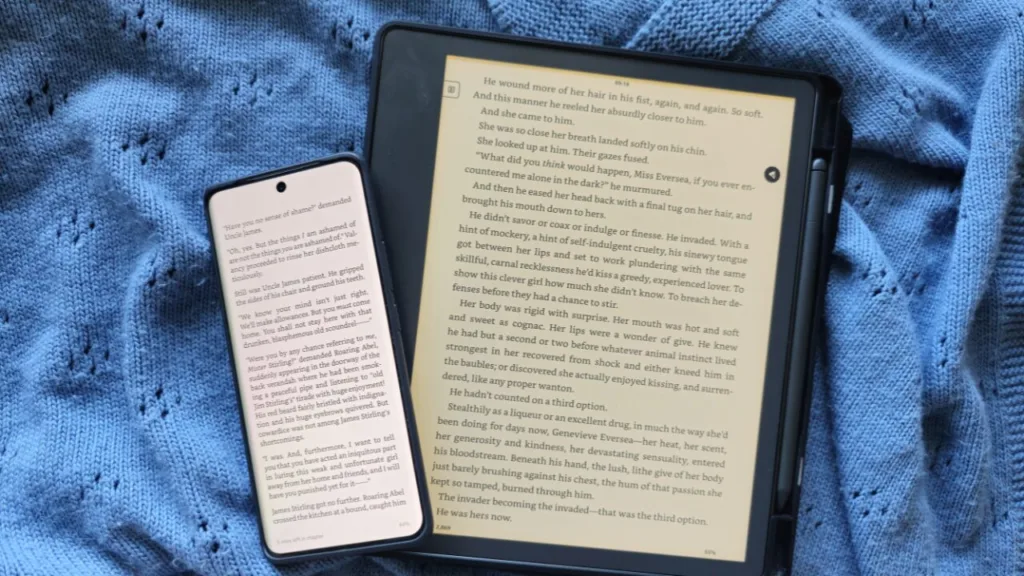
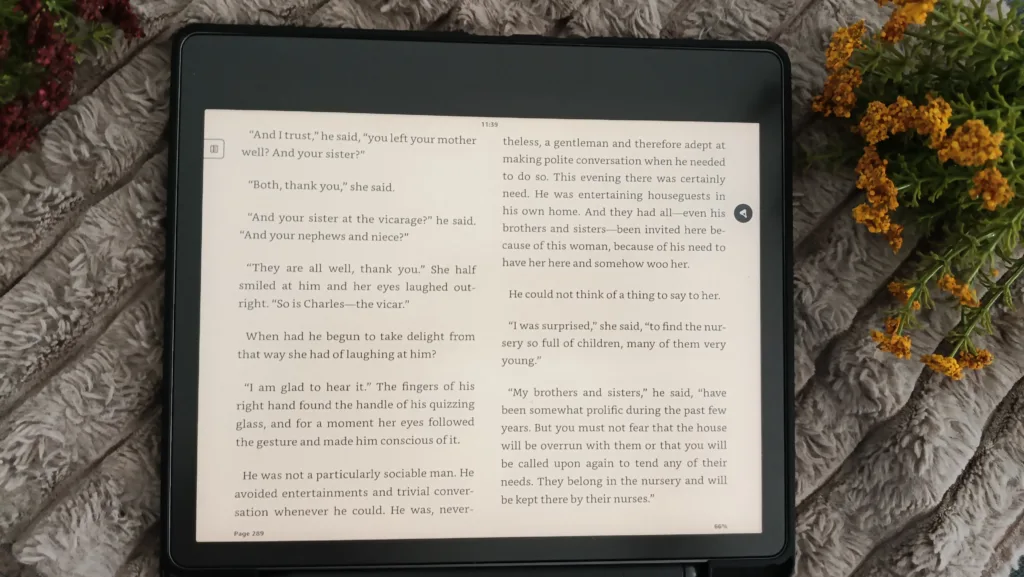
But to be honest, I got used to it very quickly. It’s very thin and light, and my eyes love the big screen. You can even switch it to landscape mode and read a book in two columns/pages just as you would a physical copy.
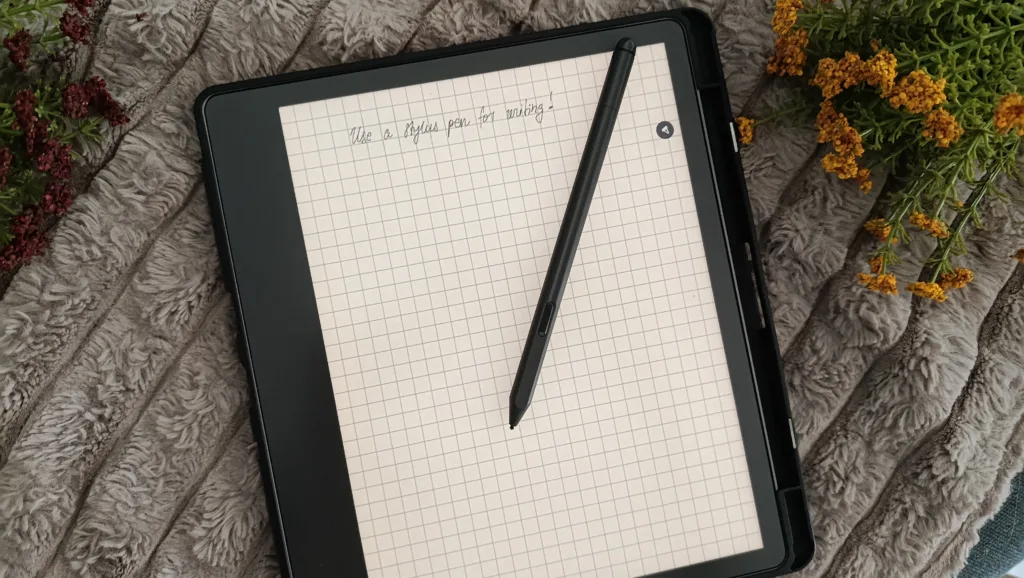
Then there’s the pen that comes included and I love it. I believe you get free replacement nibs for it as well, but you won’t go through them so easily. I write heavily every day and replace them maybe once every 6 months, though even a duller nib will still work without causing you any issues (the experience is just better with a sharper nib).
The pen doesn’t have to be charged or paired with the Scribe, it comes fully functional and ready to go at any time which I really appreciate. And the writing is just incredible — it feels like real paper, and it’s so satisfyingly scratchy but also smooth. I feared it would feel weird or be messy (sometimes tablets are), but no, this is just like regular notebook writing.
And if your handwriting is bad, you can convert it to text if you want to, and choose one of the available fonts, so it can still look nice and personal to you.
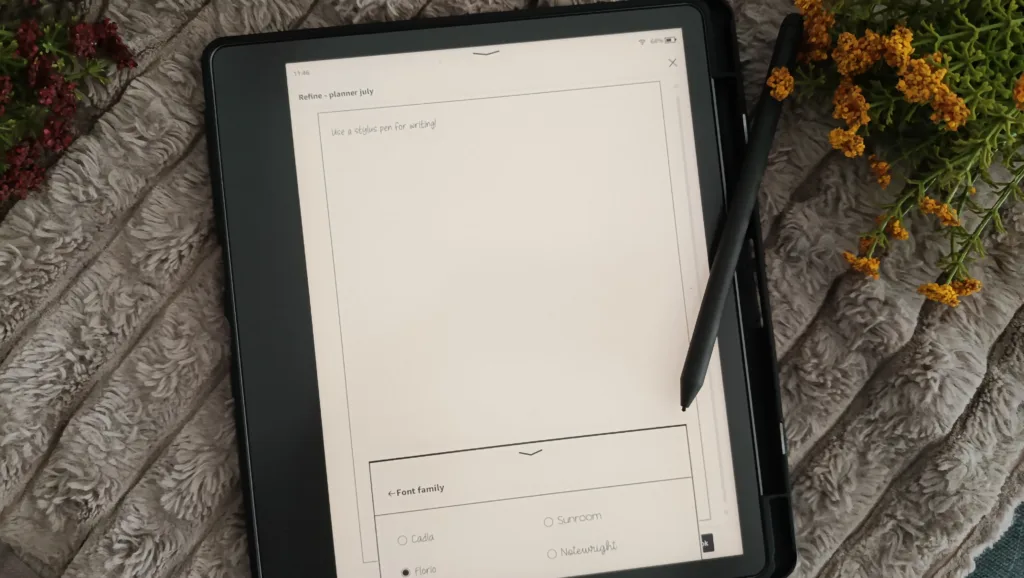
Any notes you make are also searchable — as in, you can type a word and find what you’re looking for. Honestly, this is super helpful to me because I write a lot (A LOT) and being able to find what I need when I need it without swiping through all the pages is amazing. You can also get an AI summary if you want to.
The Different Scribe Models
It’s important to note that there are different Scribe models. Aside from what I mention in the table below, there are also different generations of devices. So, for example, I have the 2022 generation which looks different outwardly than the 2024 edition but works pretty much the same.
There’s also a 2025 edition which is thinner, slightly bigger and promises better performance, but I would still highly recommend the 2022 edition because it works like a dream (no issues) and has all the same software features.
The newer editions come in more colors, in case you want to personalize, but they’re also more expensive compared to the 2022 standard Kindle Scribe (for example, the 2022 Standard can go for around $250 compared to almost $500 for the 2025 one).
| Scribe (No Front Light) | Scribe (Standard) | Scribe Colorsoft | |
| Price | ~$300 | ~$400 and up | ~$430–$680, depending on storage |
| Screen | 11″, black-and-white | 11″, black-and-white | 11″, full color |
| Front light | None | Yes, adjustable warm light | Yes, adjustable warm light |
| Pen included | Yes | Yes | Yes |
| Storage options | Base tier only | 16GB / 32GB / 64GB | 16GB / 32GB / 64GB |
| Best for | Daytime writers on a budget | Most people — the all-around pick | Color highlighting, color notes, illustrated content |
What You Can Actually Do With a Kindle Scribe
So many things! Here, let me yap away:
You can make margin notes and annotations in your books
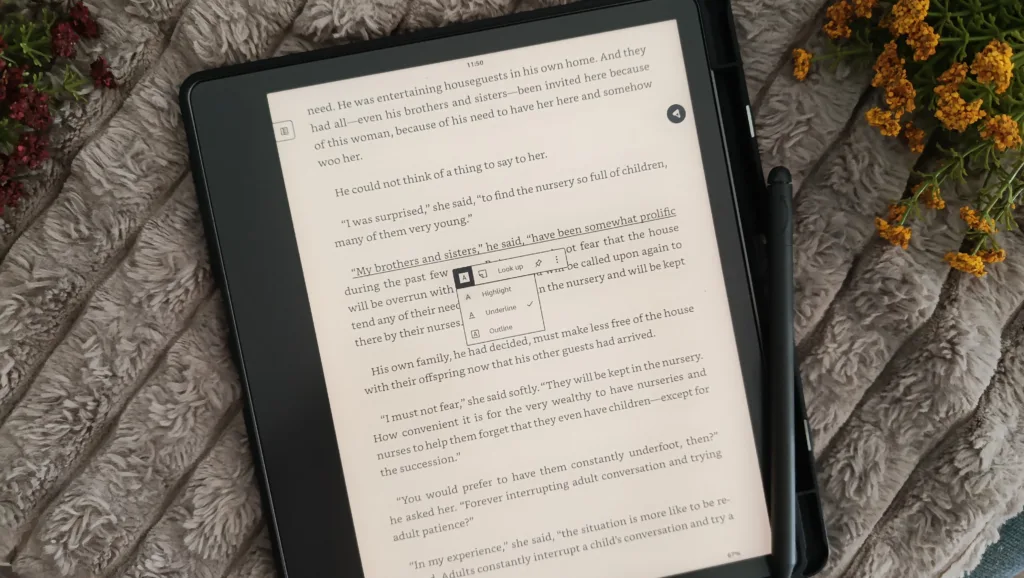
Treat your ebooks just like you would treat your physical copies. You can underline, highlight, or outline text in your books, but also leave inline notes, margin notes, doodles and drawings, and there’s a kind of notebook on the side so you can write down your thoughts separately if there’s no room on the page and just attach them to the relevant part of the text.
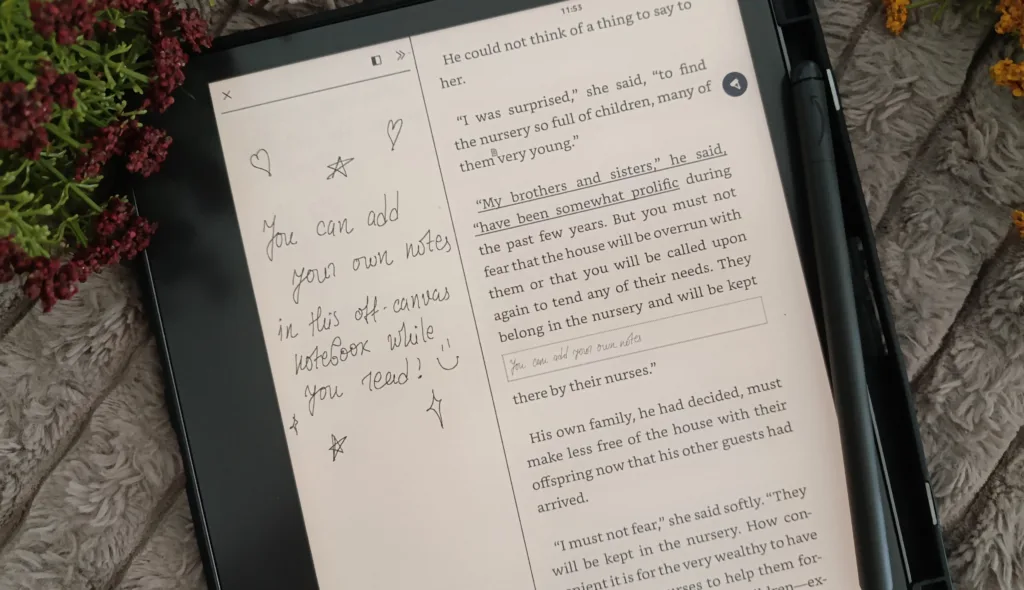
It’s honestly an amazing feature and I love how smooth and realistic it feels, very true to physical books. I’ll admit, I’m not this feature’s most consistent user, mostly because I don’t annotate physical books either and I get so immersed in reading that I forget, but it’s really fun to use this when I do remember!
Journaling and planning
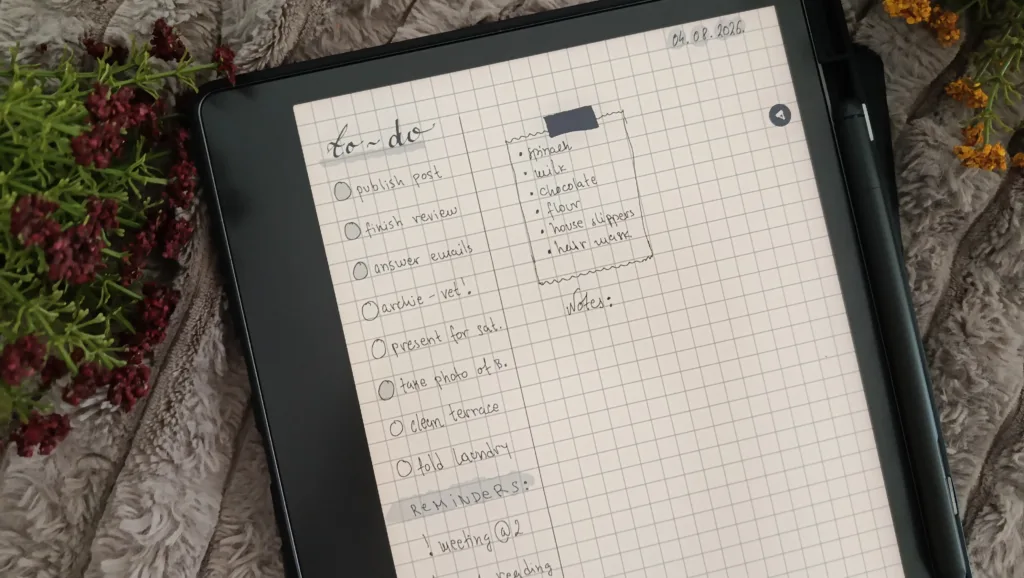
Look, I dream in Louise Carmens, Moleskines, Lechturums; my Pinterest boards are full of beautiful journals and notebooks; in my ideal, perfect world, I’m forever surrounded by journals, planners, stationery of all sorts.
In my real life though? I have three daughters who feel the same. All of my stickers and pretty washi tapes, all my journaling and planner attempts were dead in the water the moment one of my girls said “I would like to have that too”. Mostly because I love them, but also because I want to foster this love in them too.
So yeah, all of my stationery ends up with them. And even if it didn’t, I would be constantly jostled, asked questions, and in general bothered the moment I sit down to journal. Trust me, I tried.
And then, even if they weren’t so interested in all things stationery, I always have the same issue — the fear of ruining a pretty notebook. I’m just not as aesthetically capable as all those amazing people on Pinterest and Instagram are. The intimidating effect pretty stationary has on me is astounding and then all my stuff ends up unused, even though I really need planning and journaling both for organization and mental health.
Enter: Kindle Scribe.
Reader, you have no idea what a difference this thing made in my life. For one, my daughters are so used to me reading on it that they don’t even register that I’m writing on it or when I’m writing on it. It doesn’t look so fun to them, so they leave me alone (bar an occasional question).
But then I’m also so much more relaxed with it. If I make a mistake, it’s easy enough to delete. If my handwriting isn’t great on a given day, I can just turn it to text and pick a nice font. If my lines aren’t perfect, there’s a line option. There are unlimited pages, a bunch of different templates, you can just delete whatever you want, decorate and doodle as much as you want and more.
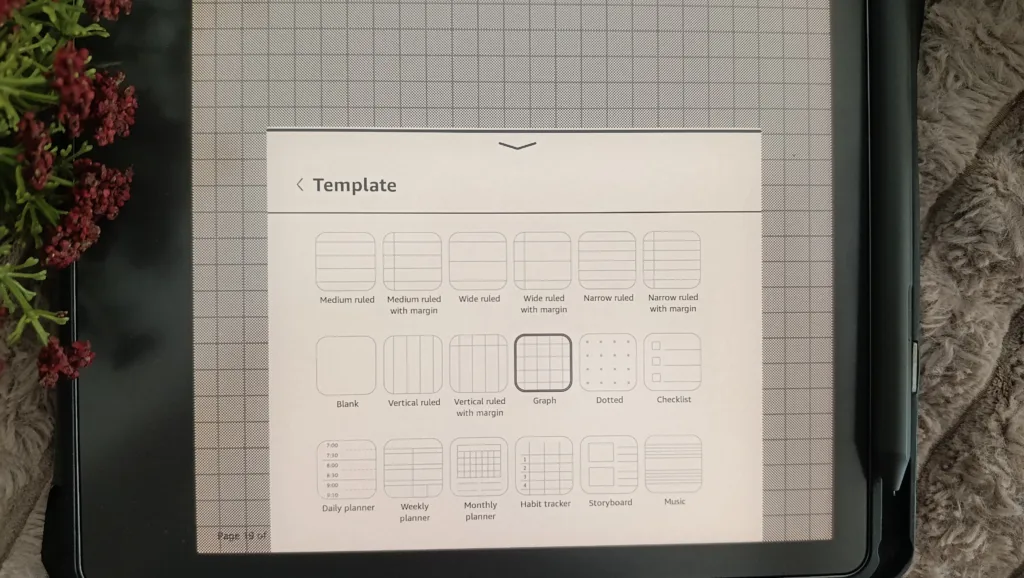
There’s so much creativity and freedom with it, but without any of the fears. It’s been life-changing, and I don’t say this lightly.
Marking up PDFs, documents, articles
This one is not so relevant to me personally, but I did use this feature quite a lot of work for a while. It’s great if you want to make notes while studying or you want to make notes in work PDFs and documents for other people to see.
You can expert your PDFs and notes marked up and send them to your own email, so this is great and easy to use. Bonus points for also feeling very cool while doing this!
Sketching and doodling
I love sketching and I’ve been trying to teach myself to draw for a while now. Mostly, I enjoy pen and paper and I struggled a lot with tablets because it just feels weird. Not so on the Scribe. It feels just like pen and paper, so it’s very nice for whenever I want to practice.
You can choose from several different pen types and each comes with 5 thickness/strength settings. Here’s what you get:
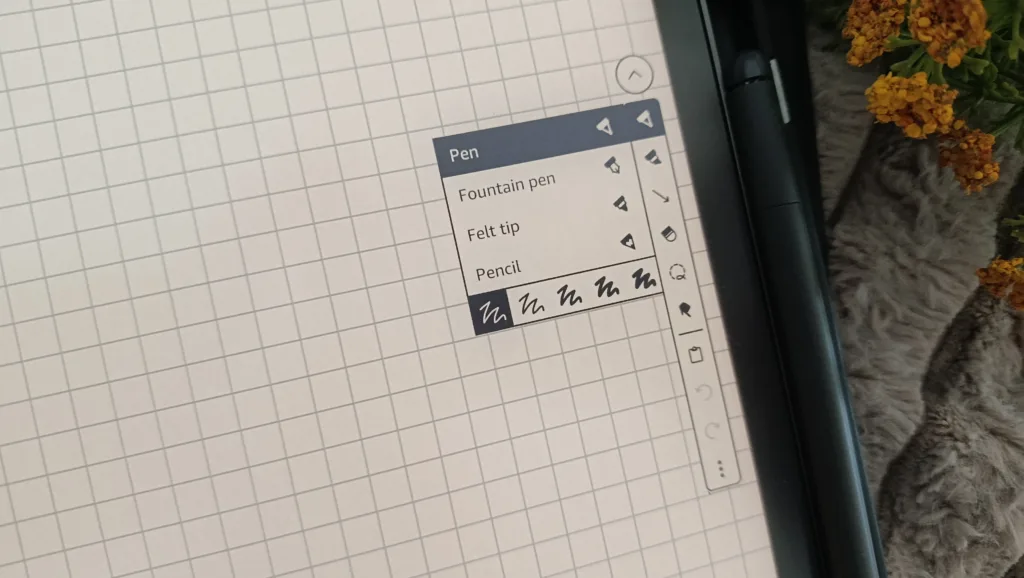
- Regular pen (my favorite, I use this one the most for writing)
- Pencil (this is the one I use for sketching)
- Fountain pen (lovely when you want to get fancy and for titles/extra nice areas of your journals)
- Marker (nice and black, very good for drawing/coloring in and also calligraphy titles)
- Highlighter (this is different from marker because this works like an actual highlighter and you can use it over text you already wrote).
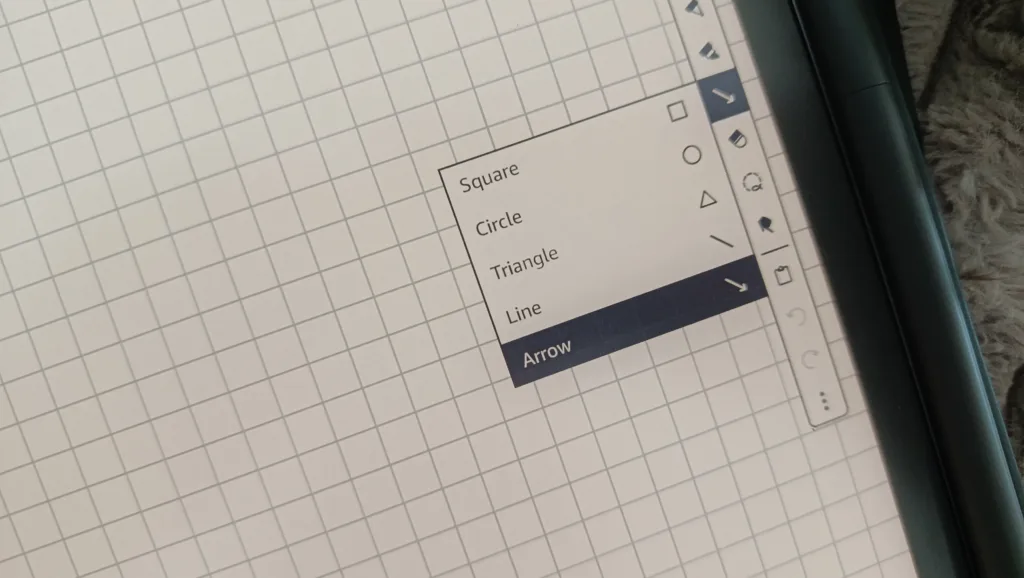
The colorsoft also has some nice colors:
- For highlighting and annotating, you get a six-color palette (yellow, blue, pink, orange, green, and dark grey), so you can color-code your notes and highlights by category instead of everything being one flat yellow.
- 10 pen colors, a full range including black, gray, and colors like purple, green, blue, and red.
- A new Shader tool exclusive to Colorsoft. It lays down lighter, semi-transparent strokes that you can layer on top of each other, so you can build up shading or a soft watercolor-like blend instead of getting one flat, solid color every time.
So yeah, you can do a fair bit of sketching on the Scribe, whether you do it on the regular one or the Colorsoft one.
Reading manga/comics on the bigger screen
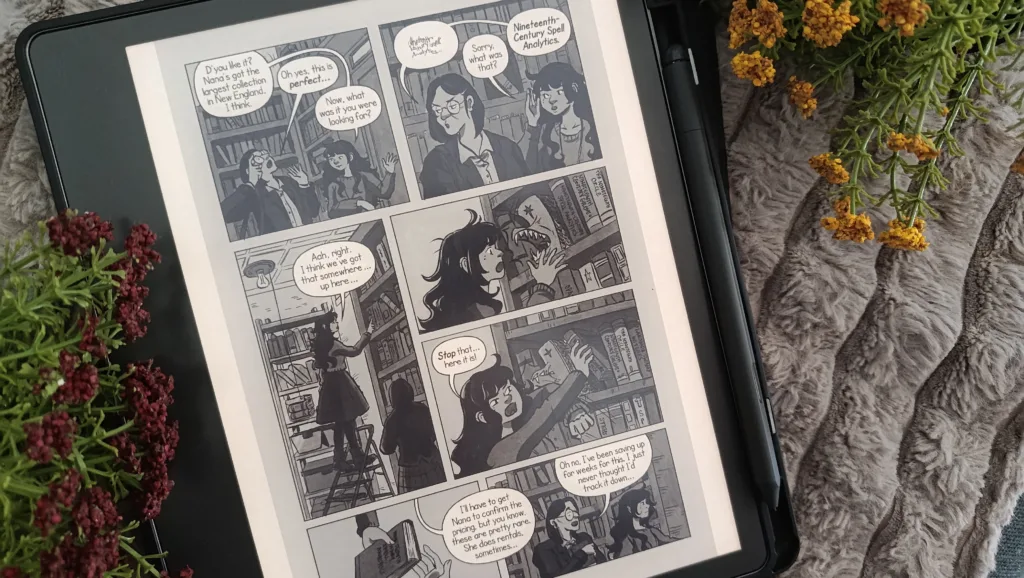
If you read a lot of manga or comics, Kindle Scribe is genuinely the best Kindle for it you can get. I downloaded Solo Leveling as soon as I got it set up, and let me tell you, the difference is huge. The pages are big and expansive, it just looks so nice. As a bonus, you can also switch to two page view in horizontal/landscape view so you don’t have to miss the two-pager arts and scenes.
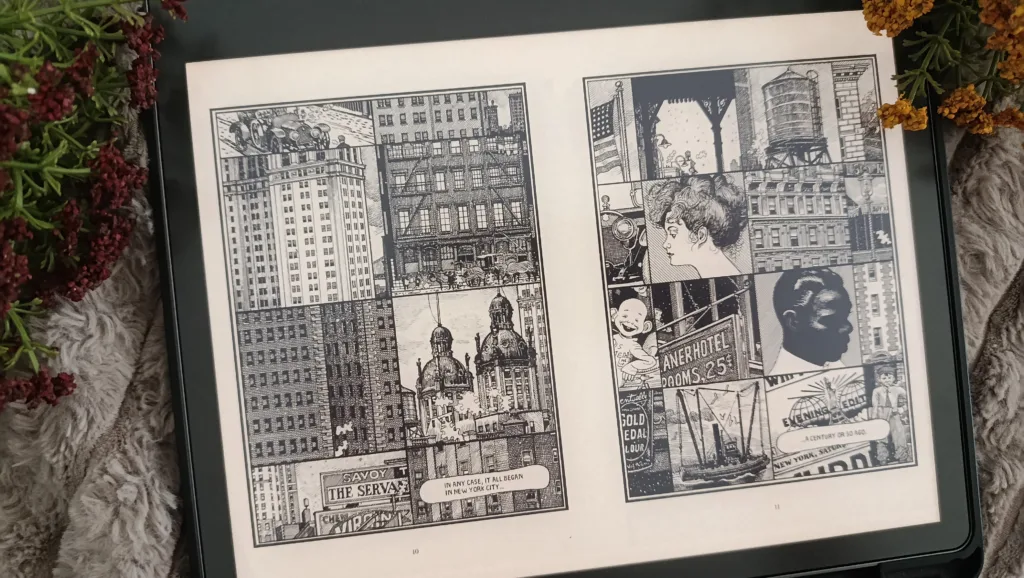
The Colorsoft is more expensive but also even better for this because you can see it in color (this specifically for comic books and colored manga), and it looks really pretty, not too bright and very satisfying.
Crosswords, word search puzzles, tracing, labyrinths, sudoku, cryptograms, and more
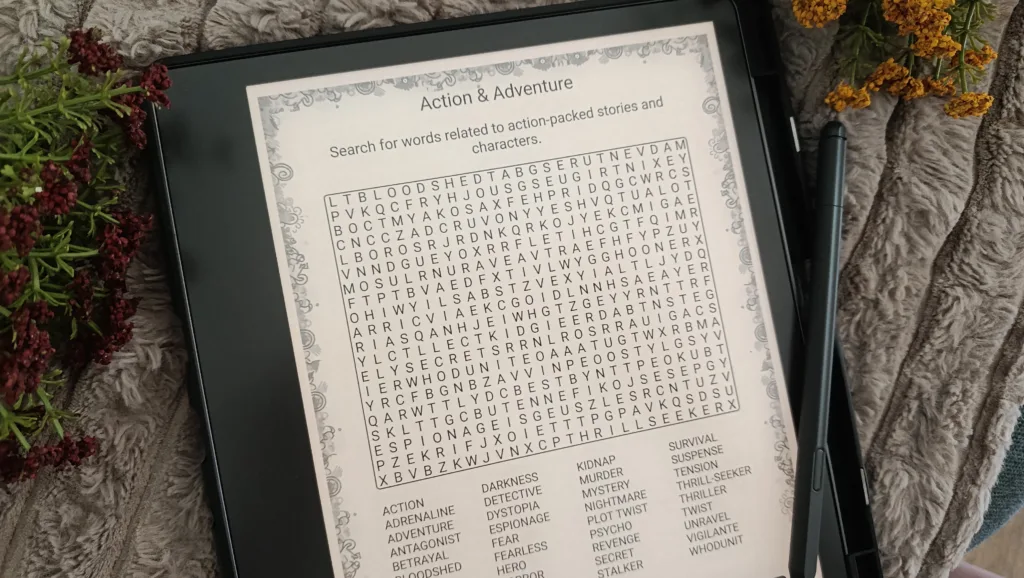
This is one of my favorite things to do on Scribe. I absolutely love crosswords and word search puzzles, so this device has been perfect for me. There’s a healthy library of Scribe-exclusive books with 100+ puzzles (a mix or single type, different themes, etc.), which are not all that expensive and are all very interesting to do.
If you, too, enjoy these grandma hobbies, I think you’ll love the Scribe.
Do You Need a Kindle Scribe?
So, the question is, should you get a Scribe? Here’s what I think:
- If your hobbies are reading, but also journaling, crosswords, word search, sketching, etc. → Get a Scribe! You’ll adore it.
- If you just want a device for reading → Don’t get a Scribe. Honestly, Basic or Paperwhite are more practical because they’re smaller for reading.
- If you’re a student → I think Scribe would be great for you because you can take notes in the notebooks, store all your PDFs and textbooks here, highlight and make notes in them, even send yourself practice tests and worksheets to do.
- If you’re a business person → Get a Scribe! This device can serve as a fantastic assistant for work without you having to carry reams of paper around. Plus, it makes for a fantastic planner!
- If you want to sketch a lot → Yes and no. It depends how seriously you do it. For professionals, designers, etc., maybe in the ideation stage. For people who want colors, layers, various tools, definitely not. But if you want to sketch as a hobby and you also love reading or at least looking at artbooks and learning materials for drawing (plenty of those in the Kindle Scribe library!), then definitely yes!
In general, if your hobbies are paper-based (reading, journaling, sketching, word and number games) or you work with PDFs, textbooks, note-taking and documents a lot, I would wholeheartedly recommend a Kindle Scribe. I’ve thoroughly enjoyed using mine, and it’s an excellent device. The pen is always charged, the battery lasts forever, the performance is excellent and it’s constantly getting new updates that make the notebook feature even better.
But if you’re not sure if you’ll do any of this and it just seems like a good idea, save your money and think about it a bit more. Just because it looks pretty, doesn’t mean it will be useful to you!
Kindle Scribe vs. a Regular Kindle
The core difference is the notebook feature. Only the Scribe has a pen, the notebook software, and this big of a screen. If you’re a reader but don’t plan on journaling, taking notes, or doing any sketching on the device you get, then a regular Kindle is a better choice. If you don’t want to take notes and journal, but still want a stylus and colors, I recommend Kobo Libra Colour.
Kindle Scribe vs. Other Note-Taking Devices
The Scribe isn’t the only e-ink device built for writing. A few other options are worth knowing before you make a choice.
- Kobo Elipsa 2E is Kobo’s answer to the Scribe. It has a similar size, stylus included, and full support for writing on books and PDFs.
- Boox devices (the Note Air and Tab series in particular) take a different approach entirely. Since they run full Android, you’re not locked into one bookstore or one note-taking app. You can install the Kindle app, Kobo app, and a dedicated notes app side by side. More flexible, but also more setup and a steeper learning curve than the Scribe’s plug-and-play simplicity.
- reMarkable is the name that comes up most often in this conversation, and it’s worth understanding the core trade-off: reMarkable devices (the reMarkable 2 and the color Paper Pro) don’t have a front light at all, which the company frames as better for a true paper-like feel, but it means no reading in a dark room. reMarkable also doesn’t have a real bookstore — it’s built writing-first, reading-second, which is the opposite priority order from the Scribe.
The short version: if you’re already reading on Kindle and want writing as a bonus feature, the Scribe makes the most sense. If writing is your primary need and reading is secondary, it’s worth looking at the alternatives above, especially reMarkable.
Is Kindle Scribe Worth the Price?
To me, personally — yes. I mean I did get it as a gift but that’s besides the point. It’s a fantastic, durable device that I’ll use for years and my husband paid $250 for. I use it daily as a planner, budget planner, habit tracker, personal journal, sketchbook, even for my piano lessons because there’s music sheet templates. I read on it, again, daily.
I play word search games, trace drawings, do crosswords and sudokus regularly. Honestly, for me it’s like a one-device entertainment center. I use it more than I use my phone. I used to process work PDFs and documents on it as well. It needs charging only maybe once a month at this level of use and if you use it less, it’ll probably need less charging too.
If you’re like me and you want to journal, read, take notes, play games, sketch and more on one simple, well-designed device, it’ll definitely be worth the price.
But if you just want to read or you have extremely high expectations regarding sketching, then probably not.
I also want to add that I don’t think the newer Scribes are worth the price because everything is technically (almost) the same except for the hardware but they’re more expensive. Mine is the 2022 edition and the cheapest one (I’ve seen people on reddit get it for $100 on clearance), and it’s well worth it at its regular price too. Personally, I wouldn’t pay extra just to have it be magenta or green.
Colorsoft, I understand how someone would see it as “worth it”. It really looks pretty, and all of the book covers are so vibrant. But in my opinion, it’s way too expensive and not worth the price overall, just for the addition of colors. I would wait for that one to be a bit more affordable and for the e-ink color technology to get a bit better. But then again, if you have the funds and want it, go for it!
Is Kindle Scribe good for just reading?
Honestly, probably not. I am now quite used to it and the screen size is no issue, but that’s because I enjoy its other features too, so I don’t mind. But if you only want to read and need something portable and smaller that can fit into your palm, a regular Kindle or Kobo is a better choice.
The only thing is if you want to read manga and comic books, cookbooks, or magazines, Scribe is definitely a better choice. But for regular fiction and non-fiction, just get a regular Kindle (again, if you don’t plan to use it as a digital notebook).
Can you use Kindle Scribe without the pen?
Yes, you can use it without a pen when reading, navigating the interface, highlighting, annotating and typing text notes. You’ll need a pen to use the notebook feature, but a pen comes with every Kindle Scribe, it doesn’t need charging and it’s always paired. In case you fear losing one, don’t worry. Kindle Scribes work with any Wacom pen (and pen nibs) as well as the Staedler Noris Digital which seems especially beloved by the people of reddit since it looks like a regular pencil and also doesn’t need charging, plus it feels great.
Does Kindle Scribe replace a notebook?
Oh yes, more than! You can start as many notebooks as you want, with unlimited pages, and sort them into folders as well. Within each notebook, you can choose a different template for each paper, so your notebooks can literally be whatever you want them to be. The pen is also great and it feels like writing on real paper. You can choose between different pen types like the regular pen, pencil, highlighter, marker, and fountain pen in 5 different strengths. I now use my Kindle Scribe exclusively, haven’t touched a physical notebook in a year since I got it!
Enjoyed this article? Join my newsletter!
Every week, you’ll receive one email from me with:
✓ what I read this week
✓ book recommendations that don’t show up on the blog
✓ behind-the-scenes of Bookish Delights
✓ personal stories
✓ upcoming articles
✓ … and more!
